Shopify Subscriptions
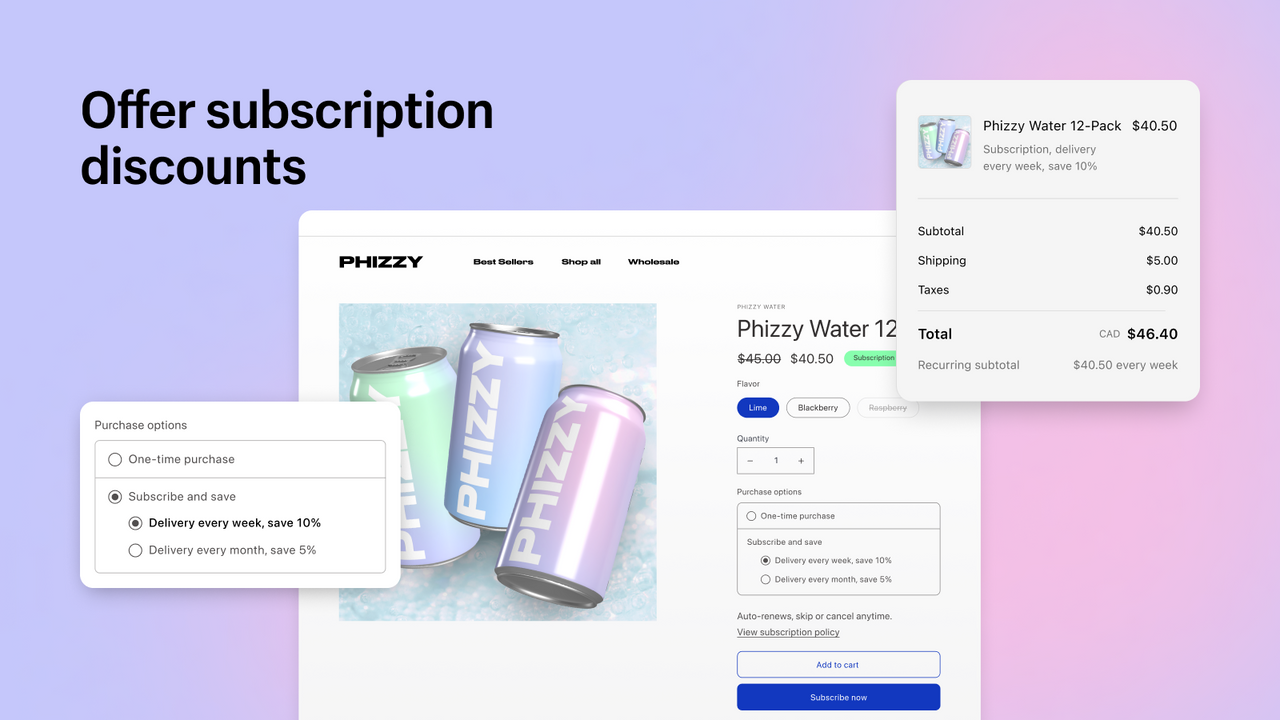
The Shopify Subscriptions app is connected to your Shopify store, so you can build and manage your subscriptions without leaving your admin. Adding subscriptions as a purchase option lets you sell products on a recurring basis. By using the Shopify Subscriptions app, you have more flexibility in the frequency for the subscription and the discount types that you can apply to your subscription plans.
You can offer more than one subscription plan to your customers. You can offer subscription plans with various frequencies and discounts types for either a single product or multiple products.
You can complete the following tasks using the Shopify Subscriptions app:
Create auto-billed subscriptions that renew weekly, monthly, or yearly.
- Modify, skip, pause, and cancel subscription plans and contracts.
- Apply dollar amount, percentage, or fixed-priced discounts to subscription products.
- Display a subscription widget on your online store.
- View subscription details on the product, cart, and thank-you pages.
- Send email notifications to customers about their subscription orders.
- View and monitor analytics on active, paused, and canceled subscriptions.
Customers can log in to their customer account to view and manage their one-time and subscription purchases. Customers can resume, skip, or cancel their subscriptions, and they can manage their payment methods and shipping address.
Customer payment information is stored securely by Shopify. You can't access your customers' full credit card information after it's been entered.
Related Articles
What is Shopify?
Shopify is a leading cloud-based e-commerce platform that lets businesses build, manage, and grow an online store — handling everything from product listings and inventory to checkout, payments, and shipping — without needing to build or host the ...Is Shopify secure for online payments?
Yes — Shopify provides PCI-compliant, secure checkout out of the box and supports a wide range of trusted payment gateways, so you don't need to build or manage payment security infrastructure yourself.Does Shopify have 24/7 uptime?
Shopify is built on reliable, secure hosting infrastructure designed for strong uptime and fast performance, which is one of the reasons many businesses prefer it over self-hosted alternatives that require managing this themselves.What's the difference between Shopify's plans?
Shopify offers several pricing tiers, each with different feature sets, staff account limits, reporting capabilities, and transaction fees — ranging from simpler plans suited to new stores to more advanced plans for larger, higher-volume businesses. ...Hide products from Google & Shopify Search
1. Access Your Shopify Admin Log in to your account to enter the backend of your store. Familiarize yourself with the intuitive Shopify admin page and interface, setting the stage for effortless product management. Think of it as your store's control ...